
 Members Login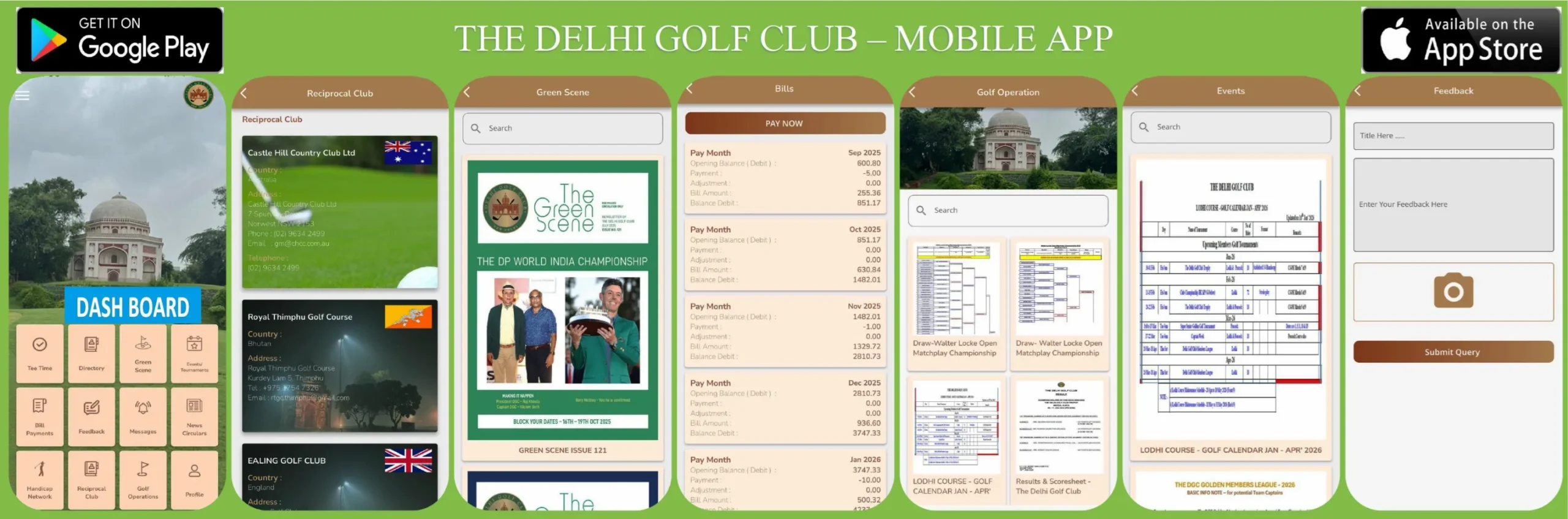
THE DELHI GOLF CLUB
Dr. Zakir Hussain Road, New Delhi-110003
https://www.delhigolfclub.org
Notice- New version of ‘The Delhi Golf Club Mobile App
Dear Members,
Members are requested to update / download the Mobile App, the same is now available for downloading at the App store (iOS) / Play Store (Android).
Kindly update to the new version from your mobile in case you already installed the same.
The step wise procedure for downloading / Registering the App onto your smartphone is as under: –
- Download the App “The Delhi Golf Club”, from the App store (iOS) / Play Store (Android).
- ‘Open’ the App and choose “Mobile Login “to register yourself by providing your registered Mobile No.
- Verify with OTP (One Time Password) based authentication.
- Main screen with various Modules / Icons will open for usage
Updates Modules on App
· Handicap Network has been implemented in accordance with WHS standards.
· Bills Payments module has been updated as per the latest Paytm release.
In case of any query/difficulty, please contact the below mentioned numbers except Sunday / holidays: –
a) 011-24307100 Ext 605, 606 and 616 – Team IT
b) 011-24307100 Ext 608, 609 & 610 – Team Membership
Lt Colonel Rohit Singh (Retd)
Secretary
29-01-2026
THE DELHI GOLF CLUB
Dr. Zakir Hussain Road, New Delhi-110003
www.delhigolfclub.org
VERIFICATION OF CONTACT DETAILS WITH MOBILE APP
The Management is pleased to inform that the new version of ‘THE DELHI GOLF CLUB MOBILE APP’ is now available for downloading at the App store (iOS) / Play Store (Android).
Members are requested to verify their contact details under profile tab (i.e. Address, Mobile No. & Email Id etc) so that all communication initiated from the Club (SMS/Bill Alerts/ letters etc) are received in time for necessary information and action by the members.
Kindly update by responding only to membership@delhigolfclub.org with membership no. in subject line.
In case of no change required in contact details, kindly ignore the circular.
Management
The Delhi Golf Club
UPDATE – MOBILE APP
As per practice a primary member contact number is registered with the Club and as a result spouse(s) are not aware about the latest activities happening in the Club.
The step wise procedure for Registering the App onto your smartphone is as under:
1. ‘Open’ the App and choose “Mobile Login “to register yourself by providing your registered Mobile No.
2. Verify with OTP (One Time Password) based authentication.
3. Create your password as per your choice.
Spouse members can log in Mobile App and use all modules with the help of password made by primary member.